
Turning Checkers Mini Shop Mania into Meaningful CAT Lessons
It all started rather innocently. My wife and I began collecting the Checkers Mini Shop Stickies for our nine-month-old son — and before we knew it, we were completely hooked. Each new mini sparked a bit of excitement (and maybe a touch of competition). Out of curiosity, I mentioned it to my Grade 11 learners, and to my surprise, they admitted that the obsession had spread to their households too!
That’s when the idea struck me — why not turn this shared craze into something educational? What if we could use these beloved mini stickies to teach real-world Computer Applications Technology (CAT) skills in a fun and creative way?
Here’s how that brainstorming session turned into a set of hands-on, engaging CAT projects that combine creativity, technology, and just a touch of nostalgia.
Teacher Tip 🧠
Let your learners bring their own Mini Shop collections to class. Use them as the starting point for each project — it instantly makes the work feel personal, relevant, and fun.
Project 1
🛒 Simulated Online Shop
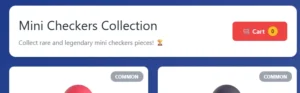
Imagine a digital shop that looks and feels like a real e-commerce site – but without processing actual payments.
Project concept
Learners create a mock-up online shop where users browse items, add them to a cart, and “check out”. The site doesn’t process payments; instead, it simulates the experience of shopping.
CAT skills applied
- Web design: Build webpages using HTML and CSS.
- Database concepts: Simulate inventory and product details.
- Forms and interactivity: Add form elements to mimic a checkout process.
- Understand how online shopping systems flow in a safe, offline environment.
Project 2
🎮 Interactive Game or App

For a more advanced challenge, learners can transform their mini shop experience into a digital game or application.
Project concept
Using platforms like Scratch or Python, learners create a simple game where players collect or trade virtual stickies.
CAT skills applied
- Coding: Programme game logic – for example, a function that “adds” a sticky to a virtual collection.
- User interface design: Create interactive buttons, scoreboards, and menus.
- Problem-solving: Debug and refine their code as the project develops.
This type of project makes coding tangible, engaging, and rewarding.
Project 3
📊 Spreadsheet-Based Data Analysis
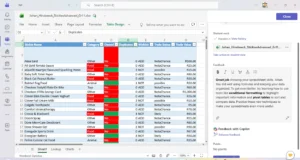
For those who love working with data, the mini stickies provide a perfect dataset.
Project concept
Learners catalogue their collection in a spreadsheet and use formulas to analyse and visualise their data.
CAT skills applied
- Formulas and functions: Use
COUNTIFto track duplicates orVLOOKUPto find specific brands. - Data validation: Add dropdown lists to standardise categories.
- Charts and graphs: Create pie charts or bar graphs to show brand or category distribution.
It’s a great way to teach data literacy in a context learners genuinely enjoy.
Project 4
📱 Marketing and Social Media Campaign
Finally, learners can channel their inner influencer and take on a digital marketing project.
Project concept
Learners design a social media campaign promoting the mini stickies, mimicking real-world Checkers advertising strategies.
CAT skills applied
- Content creation: Design graphics and edit short videos.
- Social media planning: Develop a posting schedule, research hashtags, and plan a content calendar.
- Video production: Record and edit clips — for example, a “mini haul”, “collection tour”, or “trade tips” video.
This project allows learners to see how brands use digital media to engage audiences — and how they can do it too.
🚀 How to Get Started
To get these projects rolling, you’ll need:
- A collection of Checkers Mini Shop Stickies
- Software tools such as Microsoft Office, a web browser, and a simple coding editor
- A camera or scanner to digitise the stickies
- A teacher or mentor with knowledge of the CAT curriculum
